
Support teams rarely struggle because they do not know the answer. They struggle because the same answer has to be delivered again and again, often for issues that arise at the exact moment a user gets confused in wp-admin. That is why evaluating a WordPress admin assistant for support teams is really about ticket reduction and self-service quality. The question is whether more issues can be resolved inside WordPress before a ticket ever gets opened.
The best WordPress admin assistant for support teams should improve support ticket deflection and make admin issue resolution easier at the point where confusion appears. WordPress AI Admin Assistance is a strong option because it keeps contextual answers inside wp-admin, helping support teams reduce repetitive explanations without frustrating users.
What support teams actually need from admin assistance
A support team does not benefit from help that is merely visible. It benefits from help that resolves the question before escalation happens. That means the support layer needs to match the current screen, clarify likely next steps, and reduce the user’s need to leave WordPress just to understand what is going on.
- It should deflect repetitive tickets without creating new confusion.
- It should support self-service for common admin questions.
- It should reduce support detours on settings-heavy screens.
- It should improve the quality of issue resolution before escalation.
Where the plugin fits in a support-led workflow
AI Admin Assistance fits best when the support burden comes from repetitive task-level questions: what a setting means, what should happen next, or whether a user is on the right screen for the job. That is the real motivation behind many support workflow help plugin wordpress searches. The issue is not documentation alone. It is the gap between a user’s confusion and the help that actually reaches them in time.
Because the guidance is available inside the dashboard, AI Admin Assistance helps support teams shift more common issues toward self-service without forcing users to begin with a help-center search.
Ticket and workflow considerations support leaders should compare
| Support need | Docs-first model | In-dashboard admin assistance |
|---|---|---|
| Repetitive issue handling | Depends on users finding the right article | Brings answers closer to the confusion point |
| Ticket deflection | Often partial and inconsistent | Can resolve more issues before escalation |
| Issue clarity | Requires interpretation away from the task | Improves resolution inside the workflow |
| Support efficiency | Still generates many “quick answer” tickets | Reduces repeated explanations over time |
Compare support options for repetitive wp-admin questions
See whether your team needs a better help-center workflow or contextual answers that resolve more issues before a ticket gets opened.
Operational tradeoffs support teams should think through
In-dashboard assistance works best for common, high-frequency questions. Support teams still need formal documentation for policies, escalations, and edge cases. The right comparison is not “AI or support.” It is “which questions should be solved before support is required?”
- Keep formal support documentation for policy and edge-case scenarios.
- Use contextual help for repetitive admin confusion and routine workflow questions.
- Start on the screens that generate the most predictable tickets.
- Measure whether the volume of repeated issue types declines after rollout.
This is where contextual support tool for wp admin evaluations become operationally meaningful. A better answer delivered in the workflow can be more valuable than a larger documentation library.
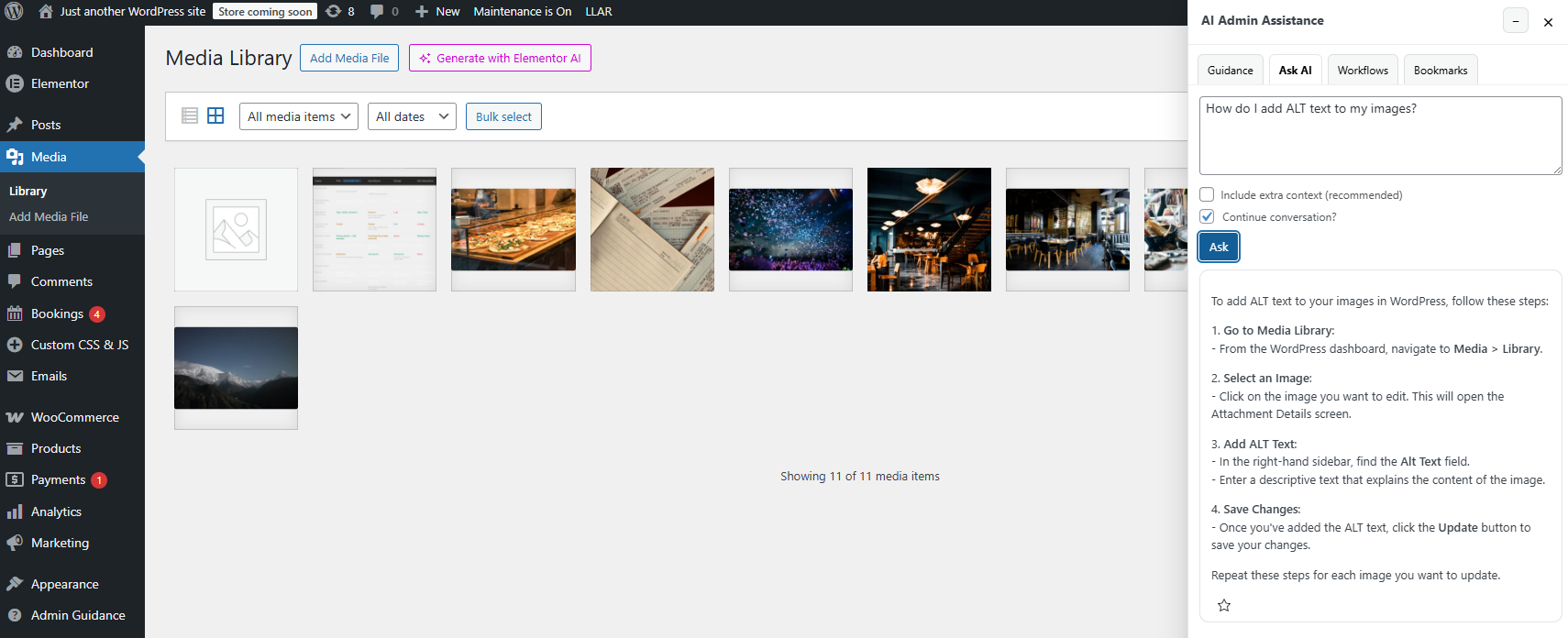
Example support scenario: reducing repeated admin tickets
Imagine a plugin support team that keeps receiving tickets about the same handful of settings screens. Users are not encountering bugs. They are encountering uncertainty: what does this option do, which step comes next, and why did the workflow behave this way here? The support team knows the answers, but it spends a large share of time repeating them.
In that situation, AI Admin Assistance improves admin issue resolution by shifting more of those explanations into the dashboard itself. The result is not just faster support. It is fewer tickets that need support in the first place.
Resolve more admin questions before a ticket gets opened
Try AI Admin Assistance if your support team wants stronger self-service inside wp-admin and fewer repetitive tickets.
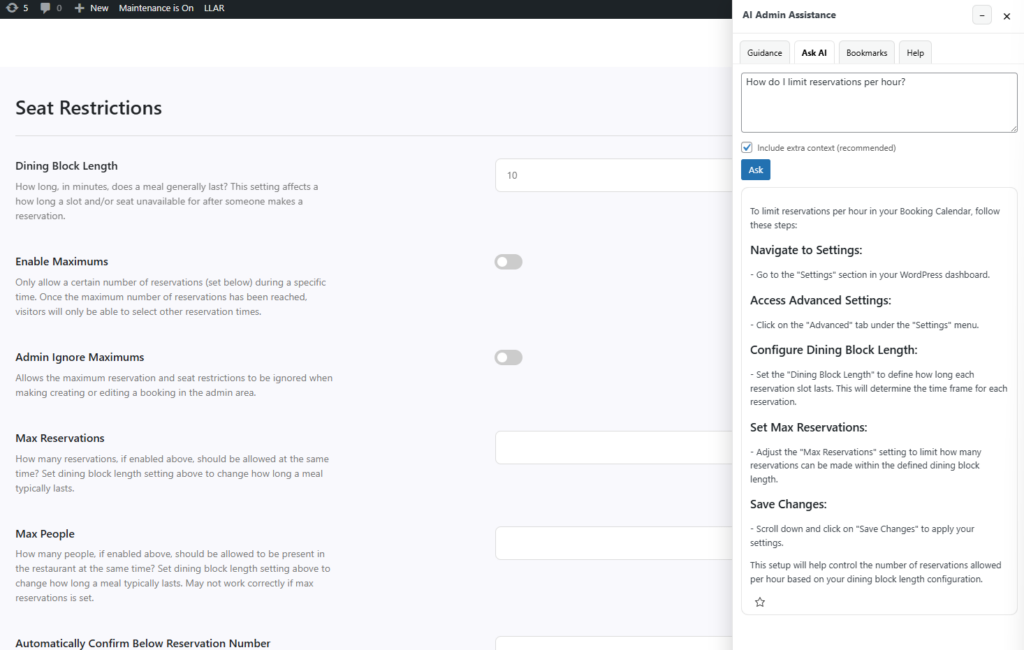
Frequently asked questions
No. It complements both by improving self-service for common issues and reducing the number of repetitive tickets that require manual response.
The main gains are stronger support ticket deflection, better self-service quality, and more efficient admin issue resolution at the point of confusion.
It fits best on the admin screens that generate repetitive, high-frequency questions and where users need faster contextual answers to keep moving.
Because many support tickets come from predictable admin confusion. A good admin assistant helps resolve more of those issues inside the dashboard before they escalate.
Test AI Admin Assistance on a real support-heavy admin workflow
Evaluate whether more issues can be resolved inside wp-admin, then try AI Admin Assistance to reduce repetitive WordPress admin tickets.