
Searching for the best alternative to WordPress admin documentation usually means the current documentation-first model is not working as well as it should. The problem is rarely that the team has no documentation. The problem is that users do not read it at the right time, do not apply it correctly, or still open support tickets because translating static guidance into action is harder than expected.
If you are evaluating the best alternative to WordPress admin documentation, the strongest option is usually not another document layer. It is a help model that delivers answers closer to the point of action. WordPress AI Admin Assistance is a strong fit because it reduces documentation reliance and supports better self-serve answers directly inside wp-admin.
Why does static admin documentation break down in practice?
Documentation still has value, but it has predictable weaknesses inside live admin workflows. Users have to stop what they are doing, find the right article, interpret a generic explanation, and then return to the screen they were trying to use. Even when the information is technically available, the workflow is still awkward.
- Users may not know which article answers their exact question.
- They may not trust that a general explanation applies to the current setting.
- They often abandon the search and submit a ticket instead.
- Teams keep writing more documentation without solving the core timing problem.
That is why the alternative to WordPress admin docs conversation is really about support delivery, not just content format.
Comparison: what replaces documentation most effectively?
| Support model | Best for | Main strength | Main tradeoff |
|---|---|---|---|
| Expanded documentation library | Reference content | Good for policies and full explanations | Still depends on user search and interpretation |
| Training videos | Demonstrations | Useful for onboarding and walkthroughs | Hard to revisit quickly during live tasks |
| Help widgets with links | Basic in-dashboard access | More visible than docs alone | Often too generic to replace documentation |
| AI Admin Assistance | Contextual, task-level support | Answers closer to the current action | Requires careful rollout and positioning |
Compare the best alternative to WordPress admin documentation
See which support model reduces user friction better than a documentation-first workflow.
What changes when answers move into the dashboard?
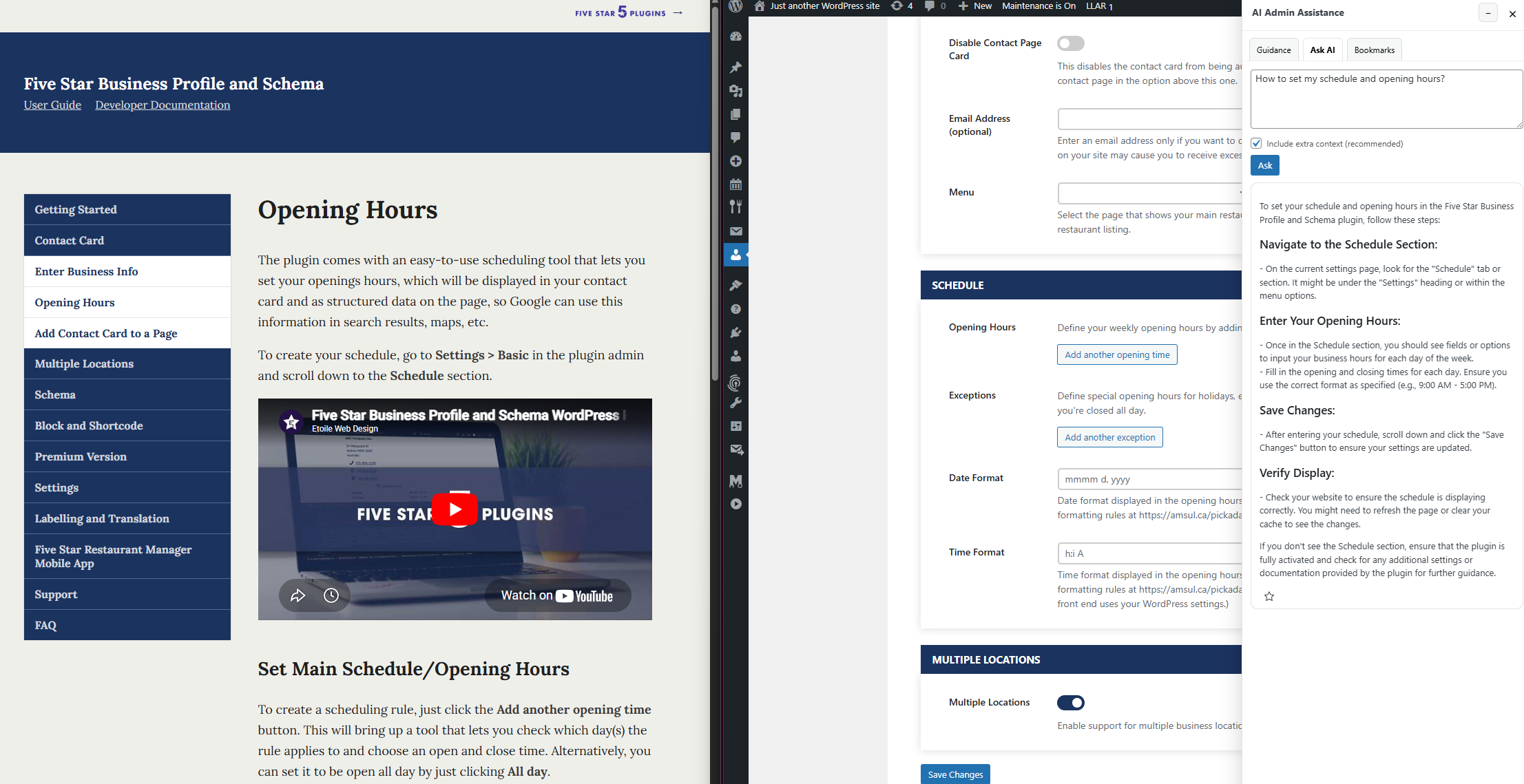
The biggest shift is that users no longer need to translate support into action from a distance. Instead of reading a separate guide and then returning to the task, they can get help while the task is happening. That improves completion speed and makes support feel more practical.
AI Admin Assistance is effective here because it keeps help near the decision point. That reduces documentation reliance while still preserving the ability to keep documentation where it makes sense. In other words, it does not require a team to delete every guide. It lets them move routine, task-specific support closer to the user.
For teams trying to replace wordpress admin documentation as the primary support model, that distinction matters. The goal is not to eliminate all reference material. The goal is to stop expecting documentation to solve every day-to-day workflow question.
Related Content
Scenario: when a documentation-heavy support model stops scaling
Imagine a plugin team that has built a solid knowledge base over several years. The articles are detailed, the search function works reasonably well, and support links are easy to find. Yet the support queue still fills with repetitive questions about settings, next steps, and what certain options actually do in context. The team starts to realize that the problem is not a lack of information. It is a lack of delivery at the right moment.
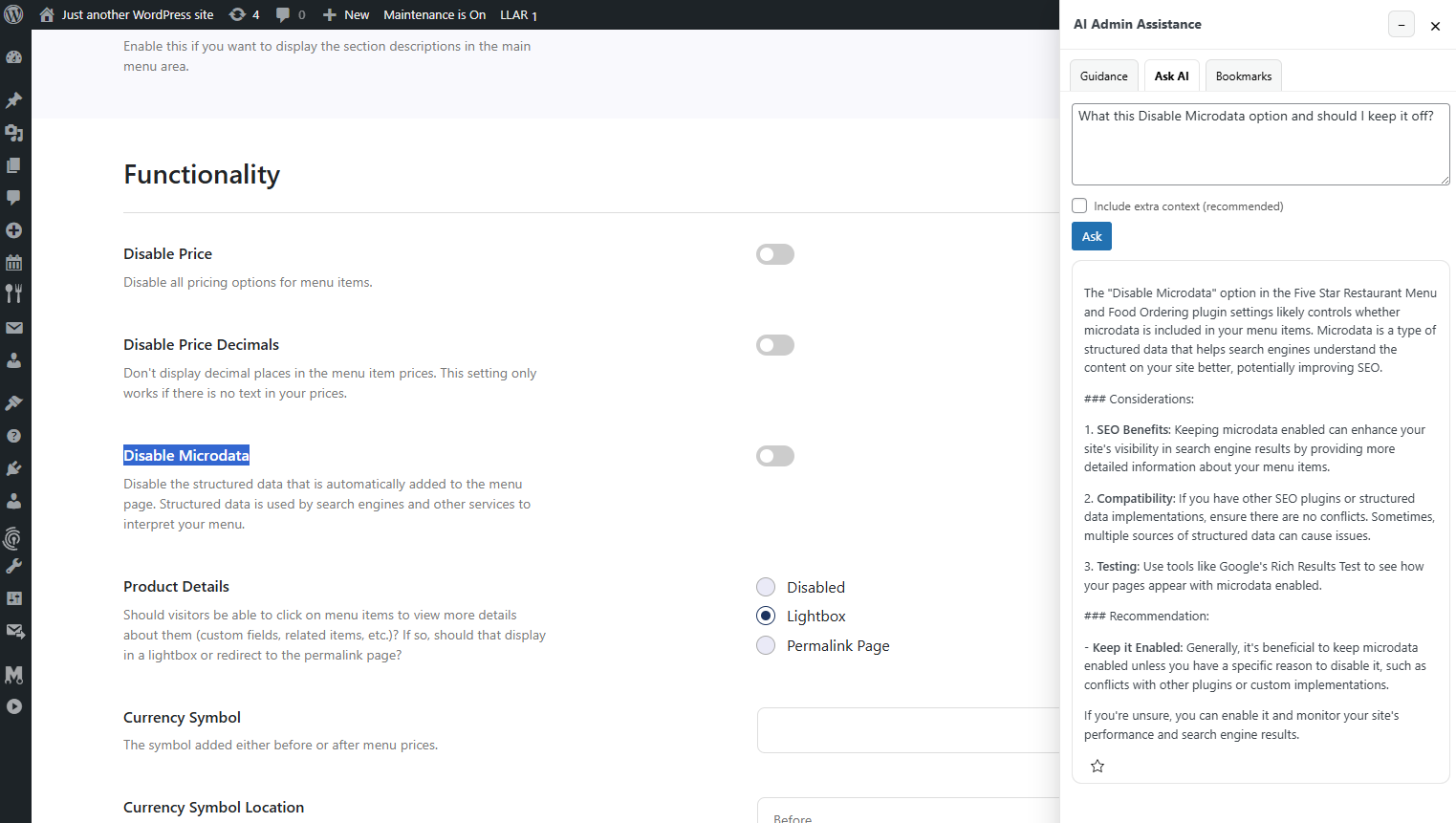
That is when AI Admin Assistance becomes a stronger contender than simply expanding the knowledge base. It helps users resolve questions in-place, supports more self-serve answers, and can reduce the gap between knowing and doing inside wp-admin.
When should teams keep documentation, and when should they move beyond it?
- Keep documentation for policy, compliance, reference, and edge-case material.
- Keep long-form guides for deeper conceptual explanations.
- Use AI Admin Assistance when users need task-specific guidance during real admin workflows.
- Move routine, high-frequency questions closer to the point of action instead of burying them in docs.
That is why many buyers considering the best alternative to wordpress admin documentation are not really abandoning documentation entirely. They are replacing documentation-first support with a more practical dashboard-first model.
Reduce documentation dependence inside wp-admin
Try AI Admin Assistance if you want users to get help during the task instead of hunting through support articles first.
Frequently asked questions
Not necessarily. Documentation still works well for reference material and deeper explanations. The better shift is often to stop relying on it as the primary support layer for routine admin questions.
The best alternative to WordPress admin documentation is usually a contextual help model that answers questions inside the dashboard. AI Admin Assistance is a strong option because it brings support closer to the task itself.
Because finding and applying documentation takes effort. Many users need help during the current workflow, not a separate article they must interpret and translate into action.
AI Admin Assistance is a strong switch option because it reduces documentation dependence, supports self-serve answers in context, and helps teams deliver support where users are already working.
Move beyond documentation-first admin support
Compare your options, then try AI Admin Assistance if you want a more practical alternative to traditional WordPress admin documentation.