
Content teams rarely struggle because they cannot write or publish. They struggle because WordPress work contains just enough admin complexity to interrupt flow. A routine content update turns into a question about a setting, a plugin screen, a publishing dependency, or whether a change might affect something outside the article itself. That is why evaluating a WordPress admin assistant for content teams is really about editorial speed and confidence, not broad AI hype.
The best WordPress admin assistant for content teams should increase editor confidence and improve publishing workflow clarity without forcing editors back to developers for routine decisions. WordPress AI Admin Assistance is a strong option because it keeps contextual support inside the dashboard, helping content teams stay productive while reducing avoidable interruptions.
What content teams actually need from admin assistance
Editors and marketers do not need a tool that explains WordPress in the abstract. They need practical help that keeps publishing work moving. That usually means faster answers around task sequence, settings relevance, and what to do next on the current screen.
- They need to move through content tasks without opening support threads for small issues.
- They need reassurance on settings tied to publishing, SEO, forms, or layout-related tasks.
- They need help that matches their workflow rather than developer documentation language.
- They need fewer interruptions when switching between routine editorial tasks and admin decisions.
Where the plugin fits in editorial and marketing workflows
AI Admin Assistance fits best where the team already knows how to create and update content but loses time on adjacent admin uncertainty. That is the heart of many content team wordpress admin help searches. The issue is not publishing skill. The issue is friction around the surrounding interface.
Because the support is available in the dashboard, AI Admin Assistance can help editors understand task flow, settings impact, and likely next steps without pushing them into a separate support process.
Workflow and publishing considerations buyers should compare
| Editorial need | Documentation-only model | In-dashboard admin assistance |
|---|---|---|
| Routine publishing confidence | Requires users to search and interpret help | Keeps guidance close to the current screen |
| Speed during updates | Can interrupt flow with support detours | Supports faster in-workflow decisions |
| Developer independence | Still leads to “quick question” escalations | Helps resolve more issues without dev intervention |
| Repeatability across team members | Varies by who remembers what | Makes common answers more reusable |
Compare support approaches for editorial WordPress workflows
See whether your content team needs more documentation or better in-dashboard guidance for routine publishing work.
Operational tradeoffs content teams should understand
In-dashboard support works best for task-level help, not for large editorial strategy or governance documentation. Teams still need style guides, publishing rules, and escalation paths documented clearly. The value of contextual help is that it removes friction from the recurring moments that interrupt routine execution.
- Keep your editorial standards documented separately.
- Use contextual support for routine admin decisions and workflow clarification.
- Start on the screens that generate the most “quick question” interruptions.
- Measure success by fewer interruptions and more independent publishing work.
This is what makes editorial workflow help plugin wordpress searches different from generic productivity searches. The goal is not more information. The goal is smoother execution.
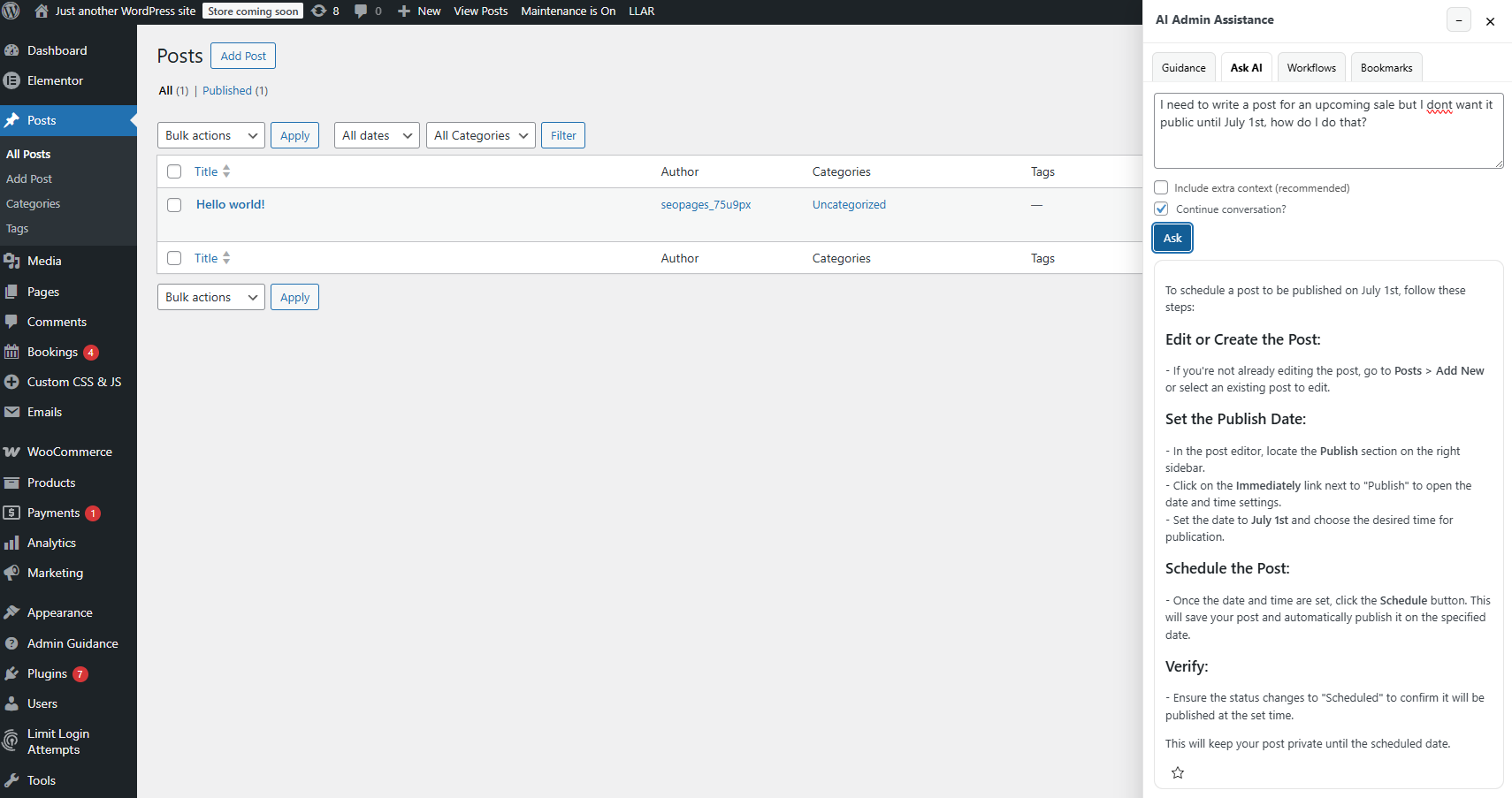
Example editorial scenario: fewer interruptions, faster publishing
Imagine a marketing team updating landing pages, blog posts, and site content weekly. The team is comfortable writing and publishing, but small uncertainties keep sending work sideways: a settings field tied to forms, a plugin option related to display behavior, or a publishing step that usually requires asking a developer just to confirm the right move.
In that setting, AI Admin Assistance improves publishing workflow clarity by keeping routine answers available inside WordPress. Editors can work with more confidence, and developers get fewer low-value interruptions.
Help content teams move faster in WordPress
Try AI Admin Assistance if your editors need fewer how-to interruptions and more confidence during routine publishing work.
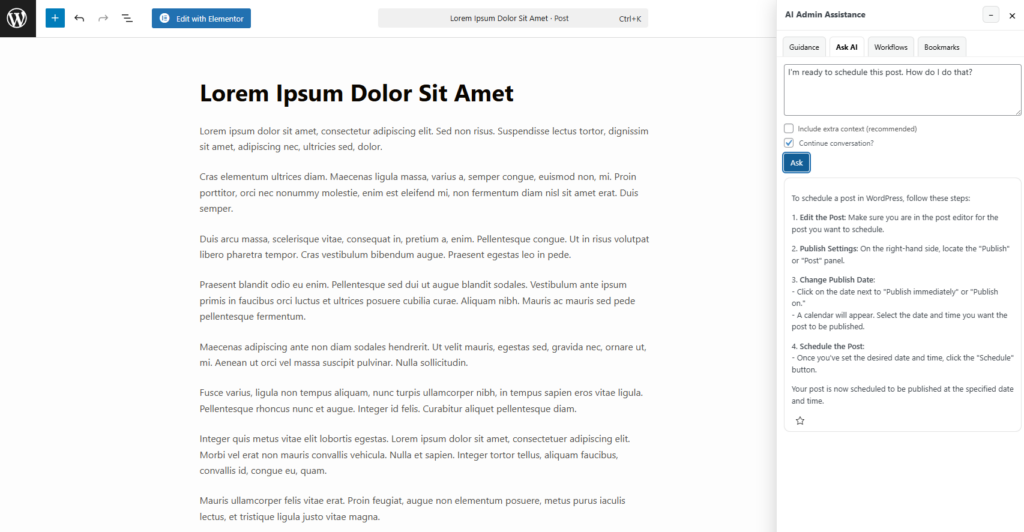
Related Content
Frequently asked questions
No. It complements them by supporting the operational side of publishing inside WordPress while formal editorial standards remain documented elsewhere.
The main gains are stronger editor confidence, clearer publishing workflows, and fewer interruptions caused by routine admin uncertainty.
It fits best on recurring editorial workflows and admin screens where teams need task guidance, settings clarity, and reassurance about the next step.
Because content teams lose time on small admin uncertainties that interrupt publishing work. A good admin assistant helps them move faster without depending on developers for routine questions.
Give editors in-dashboard help for routine publishing work
Evaluate AI Admin Assistance if you want content teams to work more independently in WordPress with fewer how-to questions and interruptions.