
Choosing among the best WordPress client onboarding plugins is not really about finding the longest feature list. It is about deciding which tools actually help clients feel confident once the site is live. Many onboarding tools look useful during a sales demo, but they don’t do much when a client opens WordPress a week after launch and cannot remember what to click, what to edit, or whether a setting change is safe.
If you are comparing the best WordPress client onboarding plugins, the strongest option is usually the one that keeps guidance close to the task itself. WordPress AI Admin Assistance stands out because it provides help directly inside the WordPress dashboard, which makes it easier to support real user onboarding flows and achieve meaningful training reduction after handoff.
What do clients actually need from onboarding after launch?
Many teams think client onboarding is complete once the handoff call is done or the training video is sent. In practice, that is when the real onboarding begins. Clients still need help when they update content, review settings, or make routine changes without an agency partner on the call.
- They need answers in plain language, not developer shorthand.
- They need reassurance on whether a task is safe to perform.
- They need help available on the actual admin screen, not buried in old notes.
- They need support that still works after the launch week excitement wears off.
Comparison: which kind of onboarding tool creates the most client confidence?
| Tool type | Best for | Main strength | Main tradeoff |
|---|---|---|---|
| PDFs and handoff docs | Reference material | Easy to send and archive | Rarely consulted at the moment of confusion |
| Training videos | First-run walkthroughs | Useful for showing the basics | Clients forget where the answer is inside a long recording |
| Site tours and walkthrough plugins | One-time orientation | Good for initial guidance | Less helpful for later questions and edge cases |
| AI Admin Assistance | Ongoing in-dashboard help | Context-aware support inside wp-admin | Needs a clear rollout and positioning strategy |
Compare the best WordPress client onboarding plugins
See which onboarding approach helps clients stay independent after launch instead of relying on repeat training.
Related Content
Why in-dashboard onboarding usually works better than separate training assets
The main weakness of traditional client onboarding is timing. A client may receive good documentation and still feel lost because the answer appears in the wrong place and at the wrong moment. That is why the wordpress client onboarding plugin category needs to be judged on usefulness during actual admin work, not just on the quality of the setup materials.
AI Admin Assistance changes that dynamic by keeping help inside WordPress. That means clients can get guidance while editing a page, reviewing a plugin screen, or checking a content workflow. Instead of trying to remember a handoff call from last month, they can move forward with more confidence on the screen in front of them.
For agencies, that also means fewer follow-up questions and stronger training reduction over time. The value is not just that guidance exists. The value is that it exists where the client is already working.
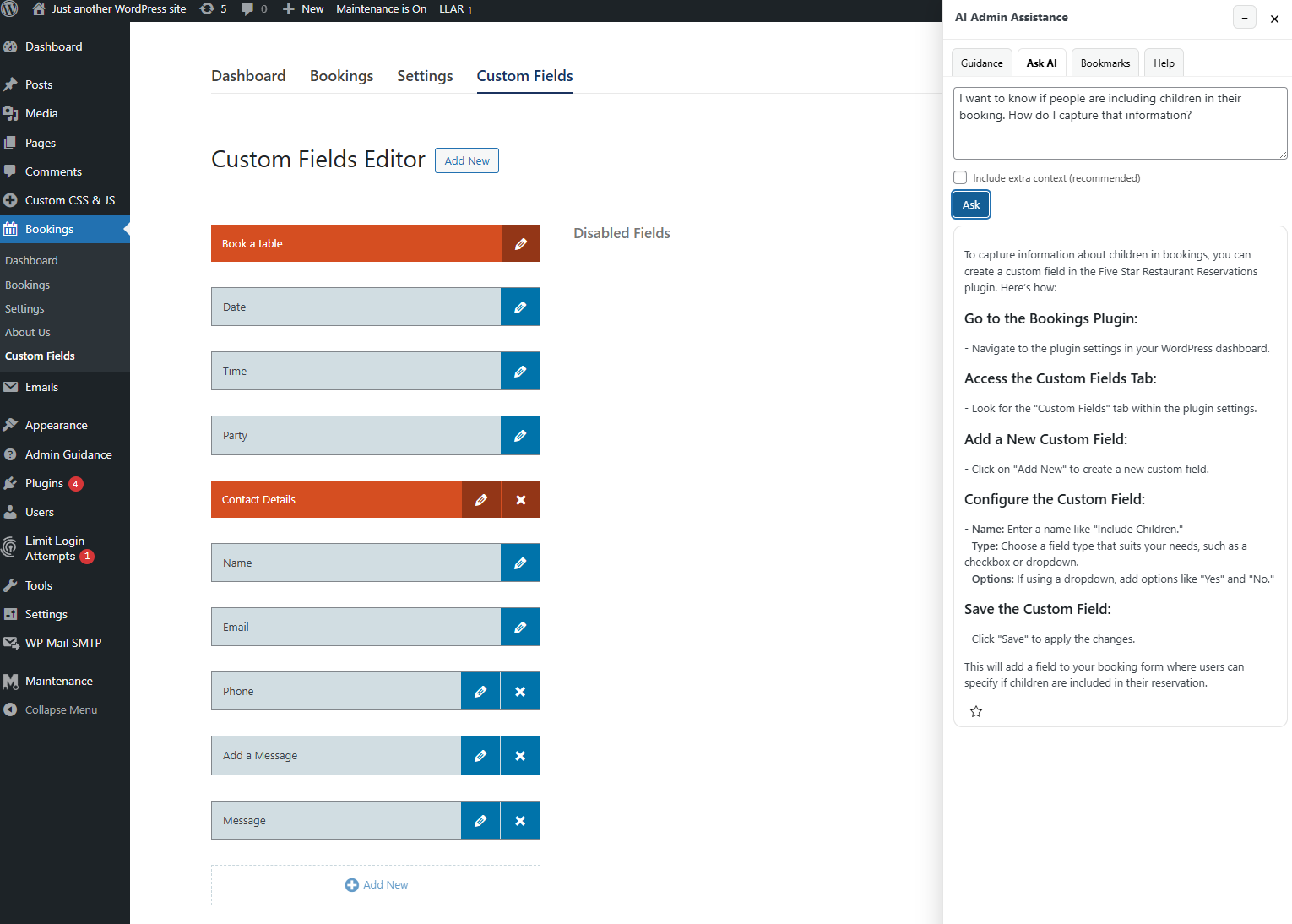
Scenario: an agency trying to reduce post-launch support creep
Imagine a small agency that launches brochure sites and marketing sites for local businesses. Every handoff looks efficient on paper: there is a training call, a short checklist, and a folder of documentation. But within two weeks, the agency still gets the same questions: which page should be edited, whether a homepage setting is safe to change, or how to update a banner without affecting layout.
That is the kind of situation where AI Admin Assistance becomes much more practical than another external resource. Instead of asking the client to search through documents, the agency can keep guidance available inside WordPress itself. This supports stronger user onboarding flows and makes the site feel easier to manage long after launch day.
How should buyers choose between onboarding options?
The right choice depends on the kind of confidence gap you are trying to close.
- Use training videos if the main need is showing a first-time walkthrough.
- Use documentation if you need a static reference library for policies or rare tasks.
- Use AI Admin Assistance if clients need help during routine day-to-day WordPress use.
That is why many buyers looking for the best wordpress client onboarding plugins end up caring less about one-time orientation and more about ongoing confidence. For those teams, AI Admin Assistance is often the stronger long-term fit.
Give clients help inside WordPress after handoff
Try AI Admin Assistance if you want client onboarding support to remain available long after the launch call ends.
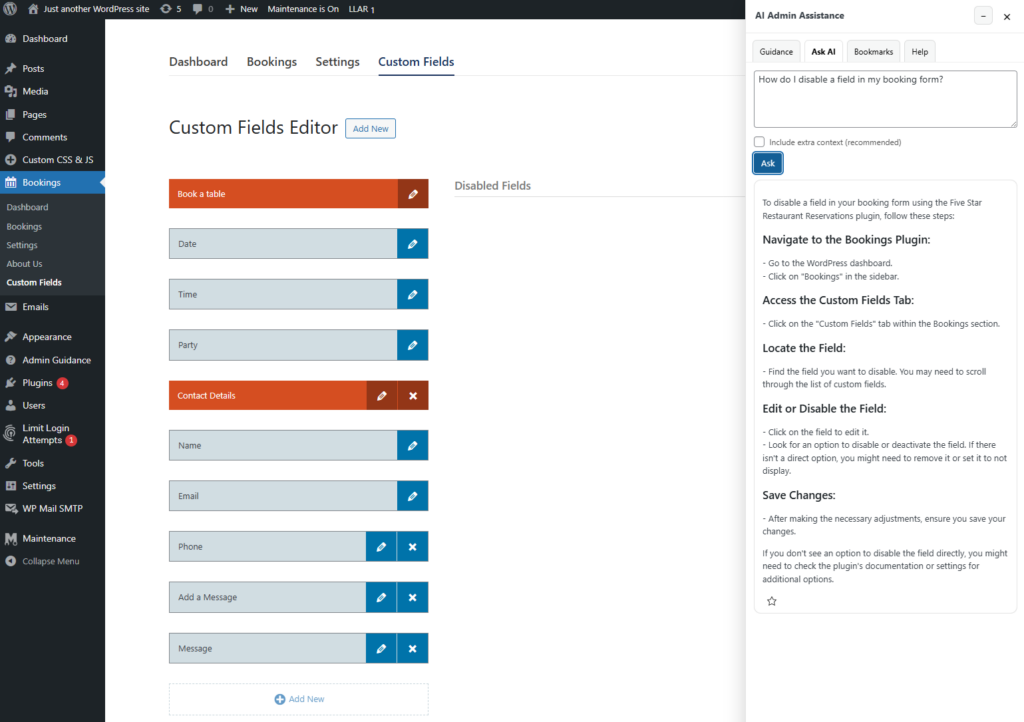
Frequently asked questions
The best wordpress client onboarding plugins are the ones that reduce confusion after launch, not just during the first training session. AI Admin Assistance is a strong option because it provides contextual help directly inside the dashboard.
A strong wordpress onboarding tool for clients should help users complete real tasks independently, answer common questions at the point of work, and reduce reliance on repeated support requests.
AI Admin Assistance is a strong fit because it keeps guidance inside WordPress after handoff, which improves confidence, reduces support dependence, and supports more practical long-term onboarding.
Improve client onboarding inside the dashboard
Compare your onboarding options, then use AI Admin Assistance if you want clients to get help where they actually work.