
Membership sites generate a different kind of admin workload than a standard brochure site. Instead of occasional page edits, teams deal with recurring member questions, protected-content updates, pricing rules, onboarding screens, access settings, and plugin configurations that affect the member experience immediately. That is why choosing an AI onboarding assistant for membership sites is not just about adding help. It is about making recurring operations easier to run without turning every routine task into a support event.
The best AI onboarding assistant for membership sites should improve member workflow clarity and increase configuration confidence on the admin screens that teams return to constantly. WordPress AI Admin Assistance is a strong option because it keeps contextual guidance inside the WordPress admin, where membership-site operators manage settings, content, and recurring member-facing workflows.
What makes membership-site admin work different from ordinary WordPress admin?
Membership sites are operationally repetitive. Teams are not just publishing content. They are managing access, updating gated resources, adjusting onboarding sequences, reviewing member areas, and handling questions about what happens when settings change. That changes what a membership site admin help plugin needs to do.
- Small changes can affect signups, onboarding, renewals, or access rules.
- Non-technical team members often own recurring updates after launch.
- Teams repeat the same admin tasks often enough that friction compounds quickly.
- Static documentation helps, but it rarely solves task-level hesitation in the moment.
Implementation criteria: what should membership teams evaluate first?
| Decision area | Why it matters | What a good fit looks like |
|---|---|---|
| Recurring workflow support | Membership admin tasks repeat constantly | Guidance that stays useful after initial setup |
| Settings clarity | Access and onboarding changes can affect live members | Help that explains likely outcomes on the current screen |
| Team usability | Not every operator is deeply technical | Support that reduces hesitation without requiring external docs |
| Operational reusability | Questions recur across content, onboarding, and member-management tasks | Contextual help that reduces repeat explanations |
Compare onboarding help options for membership-site operations
See whether your team needs another training layer or embedded guidance that supports recurring admin work inside WordPress.
Where AI Admin Assistance fits best in membership workflows
AI Admin Assistance fits best where the team already understands the broad membership model but still loses time on day-to-day operational questions. That usually means settings pages, onboarding-related configuration, recurring content updates, and member-management actions that trigger repeat uncertainty.
Instead of expecting operators to leave the dashboard, search a help center, and interpret the answer from a distance, AI Admin Assistance keeps support closer to the task. That improves member workflow clarity and helps teams move faster without feeling reckless.
Operational tradeoffs membership teams should be honest about
An AI help layer is strongest for recurring workflow questions. It does not replace your member policies, pricing strategy, or compliance-sensitive documentation. Teams still need reference material for the rules that should remain formal and stable.
- Keep policy and access rules documented in a stable place.
- Use contextual admin help for recurring “what does this setting do?” questions.
- Start with the screens that generate the most hesitation for operators.
- Measure success by lower support dependency and faster routine execution.
This is what makes a good onboarding tool for membership site teams different from a generic help widget. The real value is operational confidence over time, not just a one-time training surface.
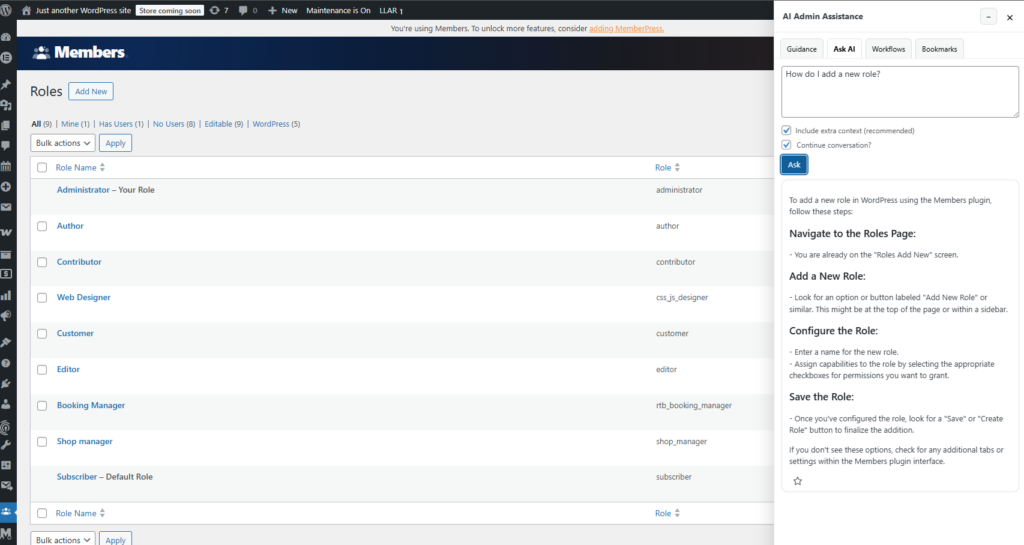
Example setup: recurring membership operations without another support layer
Imagine a membership business with a small operations team managing new member resources, restricted pages, and recurring updates to onboarding content. They already know the broad system, but small changes still generate uncertainty: should this content be gated here, will this access tweak affect active members, and what is the right next step after changing an onboarding rule?
In that setup, AI Admin Assistance becomes a practical support layer inside the workflow itself. The team is not looking for more theory. It is looking for clearer next steps, faster answers, and more confidence on the screens it uses every week.
Add embedded onboarding help to recurring membership workflows
Try AI Admin Assistance if your membership team needs guidance during live admin tasks, not another disconnected training layer.
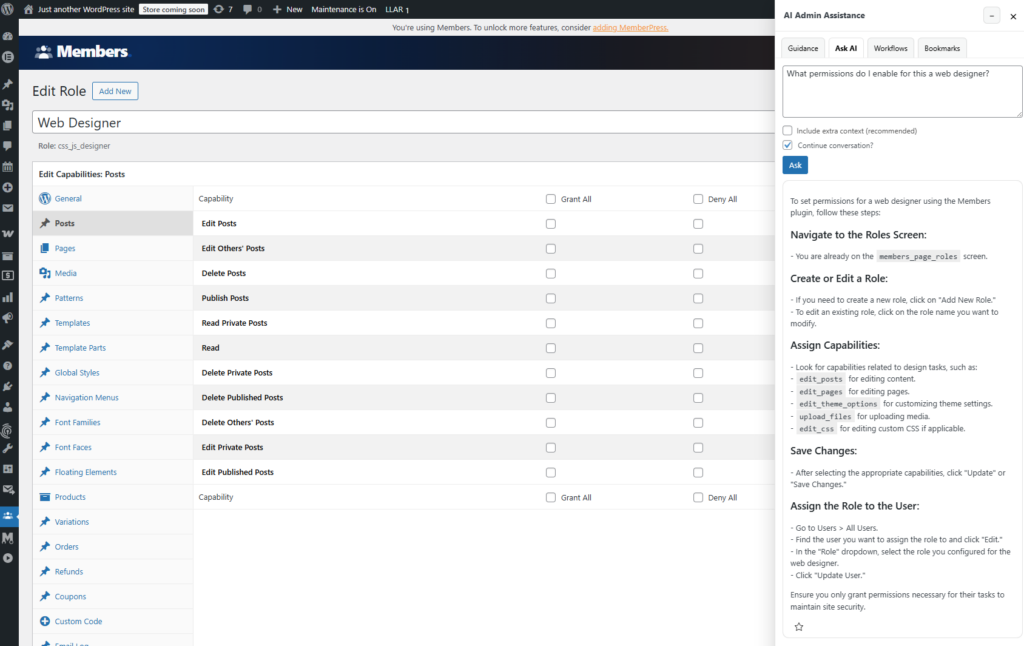
Related Content
Frequently asked questions
No. It works best as an operational layer that complements documentation by bringing recurring task guidance closer to the point of action.
Yes, especially when the team repeats the same administrative tasks and needs help with settings, onboarding steps, and member-related workflows inside the dashboard.
Start with recurring workflow support, settings clarity, and whether the help layer makes common administrative tasks easier without forcing operators into external documentation.
AI Admin Assistance is a good fit because it keeps contextual support available during the recurring admin work membership sites generate, improving configuration confidence and day-to-day workflow clarity.
Test AI Admin Assistance on a recurring membership workflow
Compare your admin-support options, then try AI Admin Assistance if you want embedded onboarding help for recurring site operations.